

效果
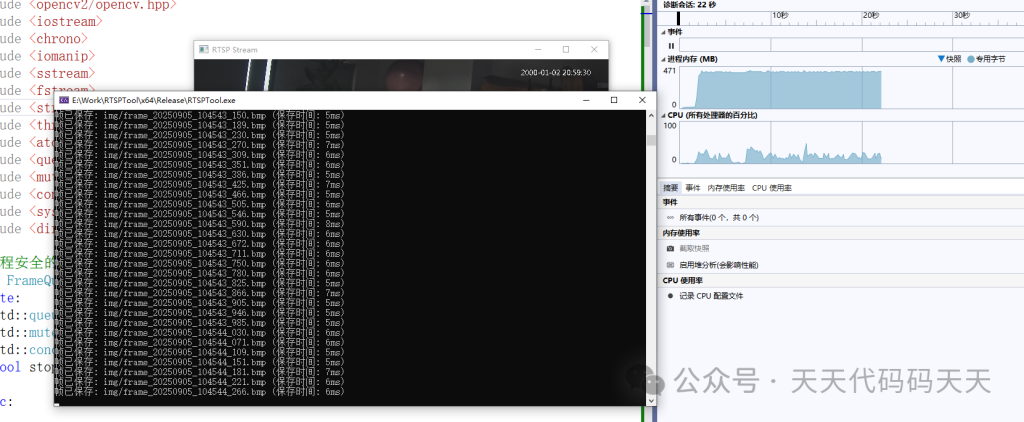
项目
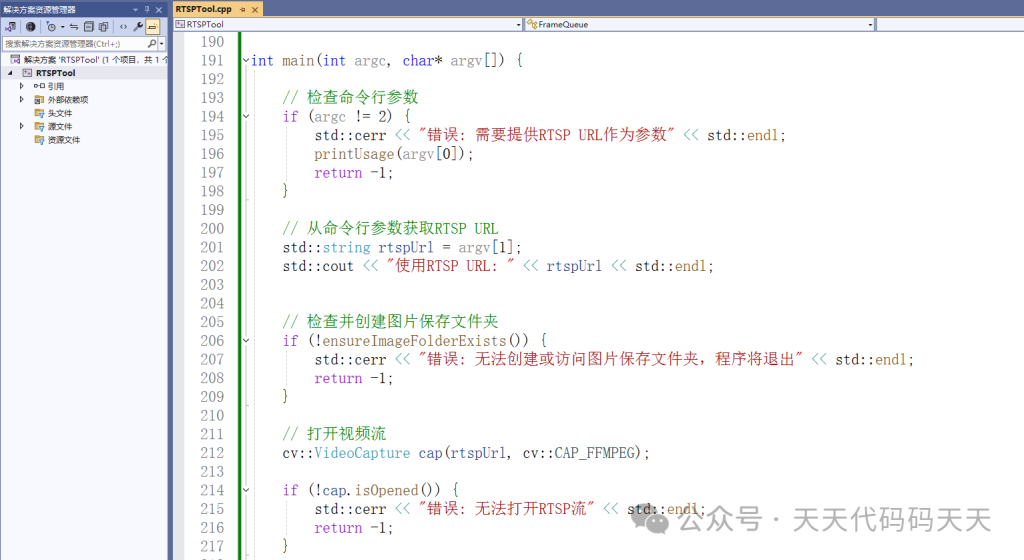
代码
#include <opencv2/opencv.hpp>
#include <iostream>
#include <chrono>
#include <iomanip>
#include <sstream>
#include <fstream>
#include <string>
#include <thread>
#include <atomic>
#include <queue>
#include <mutex>
#include <condition_variable>
#include <sys/stat.h> // 用于文件夹操作 (C++14兼容)
#include <direct.h>   // Windows下的mkdir

// 线程安全的帧队列
class FrameQueue {
private:
 std::queue<std::pair<cv::Mat, std::string>> queue;
 std::mutex mtx;
 std::condition_variable cond;
 bool stop_flag = false;

public:

 void push(const cv::Mat& frame, const std::string& filename) {
  std::unique_lock<std::mutex> lock(mtx);
  // 深拷贝帧,因为原帧可能会被修改或释放
  queue.push(std::make_pair(frame.clone(), filename));
  cond.notify_one();
 }

 bool pop(std::pair<cv::Mat, std::string>& item) {
  std::unique_lock<std::mutex> lock(mtx);
  cond.wait(lock, [this]() { return !queue.empty() || stop_flag; });

if (stop_flag && queue.empty()) {
   returnfalse;
  }

  item = queue.front();
  queue.pop();
returntrue;
 }

 void stop() {
  std::unique_lock<std::mutex> lock(mtx);
  stop_flag = true;
  cond.notify_all();
 }

 bool empty() {
  std::unique_lock<std::mutex> lock(mtx);
return queue.empty();
 }
};

// 全局变量
FrameQueue frameQueue;
std::atomic<long long> total_save_time{ 0 };
std::atomic<int> saved_frames_count{ 0 };
std::string imgFolder = "img"; // 图片保存文件夹

// 检查文件夹是否存在 (C++14兼容方法)
bool folderExists(const std::string& folderPath) {
 struct stat info;
returnstat(folderPath.c_str(), &info) == 0 && (info.st_mode & S_IFDIR);
}

// 创建文件夹 (C++14兼容方法)
bool createFolder(const std::string& folderPath) {
#ifdef _WIN32
return _mkdir(folderPath.c_str()) == 0;
#else
return mkdir(folderPath.c_str(), 0733) == 0;
#endif
}

// 检查并创建图片保存文件夹
bool ensureImageFolderExists() {
 // 检查文件夹是否存在
if (folderExists(imgFolder)) {
  std::cout << "使用图片保存文件夹: " << imgFolder << std::endl;
returntrue;
 }

 // 如果不存在,尝试创建文件夹
if (createFolder(imgFolder)) {
  std::cout << "创建图片保存文件夹: " << imgFolder << std::endl;
returntrue;
 }

 std::cerr << "错误: 无法创建图片保存文件夹" << std::endl;
returnfalse;
}

// 保存图像的线程函数
void saveFrameThread() {
 std::vector<int> compression_params;
 compression_params.push_back(cv::IMWRITE_JPEG_QUALITY);
 compression_params.push_back(100);

while (true) {
  std::pair<cv::Mat, std::string> item;
if (!frameQueue.pop(item)) {
   break;
  }

  auto start_time = std::chrono::high_resolution_clock::now();

  bool saveResult = cv::imwrite(item.second, item.first);
  //bool saveResult = cv::imwrite(item.second, item.first, compression_params);

  auto end_time = std::chrono::high_resolution_clock::now();
  auto duration = std::chrono::duration_cast<std::chrono::milliseconds>(end_time - start_time);

if (!saveResult) {
   std::cerr << "错误: 无法保存帧: " << item.second << std::endl;
  }
else {
   long long save_time = duration.count();
   total_save_time += save_time;
   saved_frames_count++;

   std::cout << "帧已保存: " << item.second<< " (保存时间: " << save_time << "ms)" << std::endl;
  }
 }
}

// 保存图像的线程函数
void saveFrameThread2() {
 std::vector<int> compression_params;
 compression_params.push_back(cv::IMWRITE_JPEG_QUALITY);
 compression_params.push_back(100);  // 质量

while (true) {
  std::pair<cv::Mat, std::string> item;
if (!frameQueue.pop(item)) {
   break;
  }

  auto start_time = std::chrono::high_resolution_clock::now();

  // 编码图像
  std::vector<uchar> buffer;
  auto encode_start = std::chrono::high_resolution_clock::now();
  cv::imencode(".jpg", item.first, buffer, compression_params);
  auto encode_end = std::chrono::high_resolution_clock::now();

  // 写入文件
  auto write_start = std::chrono::high_resolution_clock::now();
  std::ofstream ofs(item.second, std::ios::binary);
  ofs.write(reinterpret_cast<char*>(buffer.data()), buffer.size());
  ofs.close();
  auto write_end = std::chrono::high_resolution_clock::now();

  auto end_time = std::chrono::high_resolution_clock::now();
  auto total_duration = std::chrono::duration_cast<std::chrono::milliseconds>(end_time - start_time);
  auto encode_duration = std::chrono::duration_cast<std::chrono::milliseconds>(encode_end - encode_start);
  auto write_duration = std::chrono::duration_cast<std::chrono::milliseconds>(write_end - write_start);

if (!ofs) {
   std::cerr << "错误: 无法保存帧: " << item.second << std::endl;
  }
else {
   long long total_time = total_duration.count();
   long long encode_time = encode_duration.count();
   long long write_time = write_duration.count();
   total_save_time += total_time;
   saved_frames_count++;

   std::cout << "帧已保存: " << item.second
    << " (总时间: " << total_time << "ms, 编码: " << encode_time << "ms, 写入: " << write_time << "ms)" << std::endl;
  }
 }
}

// 显示使用说明
void printUsage(const std::string& programName) {
 std::cout << "使用方法: " << programName << " <RTSP_URL>" << std::endl;
 std::cout << "示例: " << programName << " rtsp://username:password@192.168.1.100:554/stream" << std::endl;
 std::cout << "注意: 如果URL中包含特殊字符(如&),请将整个URL用双引号括起来" << std::endl;
 std::cout << std::endl;
 std::cout << "控制命令:" << std::endl;
 std::cout << "  q/Q      - 退出程序" << std::endl;
 std::cout << "  空格键   - 暂停/继续播放" << std::endl;
 std::cout << "  s/S      - 显示保存统计信息" << std::endl;
 std::cout << "  c/C      - 清零统计信息" << std::endl;
}

int main(int argc, char* argv[]) {

 // 检查命令行参数
if (argc != 2) {
  std::cerr << "错误: 需要提供RTSP URL作为参数" << std::endl;
  printUsage(argv[0]);
return -1;
 }

 // 从命令行参数获取RTSP URL
 std::string rtspUrl = argv[1];
 std::cout << "使用RTSP URL: " << rtspUrl << std::endl;


 // 检查并创建图片保存文件夹
if (!ensureImageFolderExists()) {
  std::cerr << "错误: 无法创建或访问图片保存文件夹,程序将退出" << std::endl;
return -1;
 }

 // 打开视频流
 cv::VideoCapture cap(rtspUrl, cv::CAP_FFMPEG);

if (!cap.isOpened()) {
  std::cerr << "错误: 无法打开RTSP流" << std::endl;
return -1;
 }

 // 获取视频流的基本信息
 double fps = cap.get(cv::CAP_PROP_FPS);
 int frameWidth = static_cast<int>(cap.get(cv::CAP_PROP_FRAME_WIDTH));
 int frameHeight = static_cast<int>(cap.get(cv::CAP_PROP_FRAME_HEIGHT));
 std::cout << "RTSP流信息: " << frameWidth << "x" << frameHeight << " at " << fps << " FPS" << std::endl;

 // 创建保存线程
 std::thread saveThread(saveFrameThread);

 // 创建窗口
 cv::namedWindow("RTSP Stream", cv::WINDOW_NORMAL);
 cv::resizeWindow("RTSP Stream", frameWidth / 4, frameHeight / 4);

 // 主循环
 cv::Mat frame;
while (true) {
  // 读取一帧
if (!cap.read(frame)) {
   std::cerr << "错误: 读取帧失败" << std::endl;
   break;
  }

  // 显示帧
  cv::imshow("RTSP Stream", frame);

  // 获取当前时间(精确到毫秒)
  auto now = std::chrono::system_clock::now();
  auto now_ms = std::chrono::time_point_cast<std::chrono::milliseconds>(now);
  auto epoch = now_ms.time_since_epoch();
  auto value = std::chrono::duration_cast<std::chrono::milliseconds>(epoch);
  long long milliseconds = value.count();

  // 将毫秒时间戳转换为可读格式
  std::time_t time_t_now = std::chrono::system_clock::to_time_t(now);
  std::tm tm_struct;
  localtime_s(&tm_struct, &time_t_now);
  std::ostringstream oss;
  oss << std::put_time(&tm_struct, "%Y%m%d_%H%M%S_") << std::setfill('0') << std::setw(3) << (milliseconds % 1000);
  std::string timestampStr = oss.str();

  // 构建保存图像的文件名(包含img文件夹路径)
  std::string filename = imgFolder + "/frame_" + timestampStr + ".bmp";

  // 将帧和文件名添加到队列(由保存线程处理)
  frameQueue.push(frame, filename);

  // 处理键盘输入
  int key = cv::waitKey(1) & 0xFF;
if (key == 'q' || key == 'Q') {
   break;
  }
elseif (key == ' ') {
   while (true) {
    int innerKey = cv::waitKey(0) & 0xFF;
    if (innerKey == ' ') {
     break;
    }
    elseif (innerKey == 'q' || innerKey == 'Q') {
     cv::destroyAllWindows();
     cap.release();
     frameQueue.stop();
     saveThread.join();
     return 0;
    }
   }
  }
elseif (key == 's' || key == 'S') {
   // 显示统计信息
   if (saved_frames_count > 0) {
    double avg_save_time = static_cast<double>(total_save_time) / saved_frames_count;
    std::cout << "保存统计: " << saved_frames_count << " 帧, 平均保存时间: "<< avg_save_time << "ms" << std::endl;
   }
  }
elseif (key == 'c' || key == 'C') {
   // 清空统计信息
   total_save_time = 0;
   saved_frames_count = 0;
   std::cout << "统计信息已清零" << std::endl;
  }
 }

 // 释放资源
 cap.release();
 cv::destroyAllWindows();

 // 停止保存线程并等待结束
 frameQueue.stop();
 saveThread.join();

 // 显示最终统计信息
if (saved_frames_count > 0) {
  double avg_save_time = static_cast<double>(total_save_time) / saved_frames_count;
  std::cout << "最终统计: " << saved_frames_count << " 帧已保存, 平均保存时间: "<< avg_save_time << "ms" << std::endl;
 }

return 0;
}
微信扫描下方的二维码阅读本文

Comments NOTHING