

如果教程中代码不便于阅读,请使用电脑查看或点击阅读原文。
0. 开发环境
-
IDE:IntelliJ IDEA 2017.1 x64
-
jdk:1.8.0_91
-
Spring Boot:2.1.1.RELEASE
1. 文件下载
1.1 新建服务类
import cn.wbnull.springbootdemo.boot.GlobalException;import org.springframework.stereotype.Service;import javax.servlet.http.HttpServletResponse;import java.io.BufferedInputStream;import java.io.File;import java.io.FileInputStream;import java.io.OutputStream;public class LogService { public void logDownload(String name, HttpServletResponse response) throws Exception { File file = new File("logs" + File.separator + name); if (!file.exists()) { throw new GlobalException(name + "文件不存在"); } response.setContentType("application/force-download"); response.addHeader("Content-Disposition", "attachment;fileName=" + name); byte[] buffer = new byte[1024]; FileInputStream fis = null; BufferedInputStream bis = null; try { fis = new FileInputStream(file); bis = new BufferedInputStream(fis); OutputStream os = response.getOutputStream(); int i = bis.read(buffer); while (i != -1) { os.write(buffer, 0, i); i = bis.read(buffer); } } finally { if (bis != null) { bis.close(); } if (fis != null) { fis.close(); } } }}
1.2 新建控制器类
import cn.wbnull.springbootdemo.service.LogService;import org.springframework.beans.factory.annotation.Autowired;import org.springframework.context.annotation.Scope;import org.springframework.web.bind.annotation.GetMapping;import org.springframework.web.bind.annotation.PathVariable;import org.springframework.web.bind.annotation.RequestMapping;import org.springframework.web.bind.annotation.RestController;import javax.servlet.http.HttpServletResponse;("prototype")("/log")public class LogController { private LogService logService; /** * 下载日志接口 * * @param name * @param response * @throws Exception */ (value = "/download/{name}") public void logDownload( String name, HttpServletResponse response) throws Exception { logService.logDownload(name, response); }}
1.3 测试
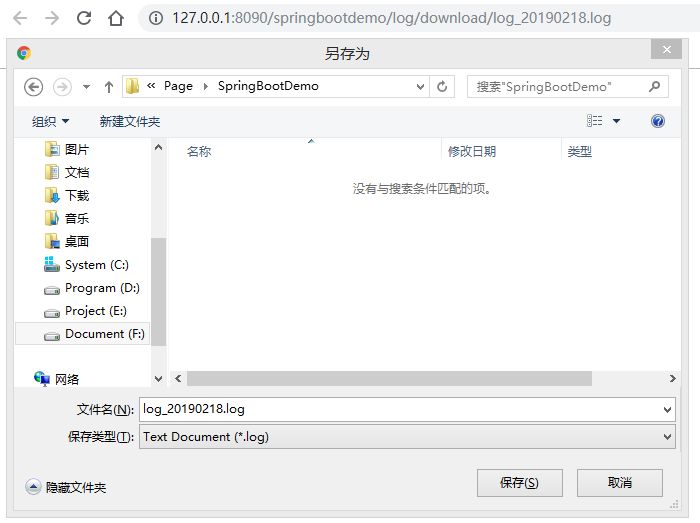
上面接口是要下载logs文件夹下日志文件,以log_20190218.log日志文件为例,浏览器直接访问 http://127.0.0.1:8090/springbootdemo/log/download/log_20190218.log 即可完成下载。

2. 单文件上传
2.1 新建服务类
import cn.wbnull.springbootdemo.boot.GlobalException;import cn.wbnull.springbootdemo.model.ReturnMessage;import com.alibaba.fastjson.JSONObject;import org.springframework.stereotype.Service;import org.springframework.web.multipart.MultipartFile;import javax.servlet.http.HttpServletResponse;import java.io.*;public class LogService { public JSONObject logUpload(MultipartFile file) throws Exception { if (file == null || file.isEmpty()) { throw new GlobalException("未选择需上传的日志文件"); } String filePath = new File("logs_app").getAbsolutePath(); File fileUpload = new File(filePath); if (!fileUpload.exists()) { fileUpload.mkdirs(); } fileUpload = new File(filePath, file.getOriginalFilename()); if (fileUpload.exists()) { throw new GlobalException("上传的日志文件已存在"); } try { file.transferTo(fileUpload); return ReturnMessage.success(); } catch (IOException e) { throw new GlobalException("上传日志文件到服务器失败:" + e.toString()); } }}
2.2 新建控制器类
import cn.wbnull.springbootdemo.service.LogService;import com.alibaba.fastjson.JSONObject;import org.springframework.beans.factory.annotation.Autowired;import org.springframework.context.annotation.Scope;import org.springframework.web.bind.annotation.*;import org.springframework.web.multipart.MultipartFile;import javax.servlet.http.HttpServletResponse;("prototype")("/log")public class LogController { private LogService logService; /** * 上传日志接口 * * @param file * @return * @throws Exception */ (value = "/upload") public JSONObject logUpload(("file") MultipartFile file) throws Exception { return logService.logUpload(file); }}
2.3 新建HTML页面
log-upload.html
<html lang="en"><head> <meta charset="UTF-8"> <title>文件上传</title></head><body><form method="post" action="/log/upload" enctype="multipart/form-data"> <input type="file" name="file"> <br><br> <input type="submit" value="提交"></form></body></html>
2.4 测试
浏览器打开页面 http://127.0.0.1:8090/springbootdemo/log-upload.html
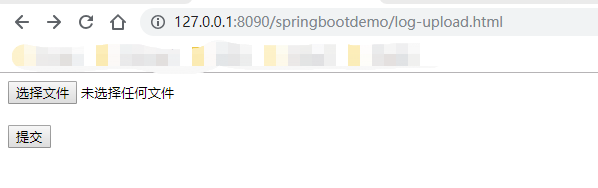
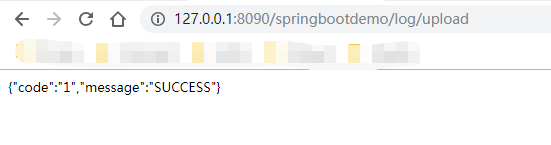
点击选择文件打开文件选择页面,选中需要上传的文件后,点击提交,返回如下则为文件上传成功。
我们去logs_app文件夹下查看,生成了上传的日志文件。

2.5 Java客户端上传文件
上面我们上传文件的客户端为HTML页面,但我们实际生产中未必是WebAPP,这时我们可以通过模拟发送浏览器HTTP请求来实现上传文件。
2.5.1 引入依赖
<dependency> <groupId>commons-httpclient</groupId> <artifactId>commons-httpclient</artifactId> <version>3.1</version> </dependency>
2.5.2 新建Java客户端
import org.apache.commons.httpclient.HttpClient;import org.apache.commons.httpclient.methods.PostMethod;import org.apache.commons.httpclient.methods.multipart.FilePart;import org.apache.commons.httpclient.methods.multipart.MultipartRequestEntity;import org.apache.commons.httpclient.methods.multipart.Part;import org.apache.commons.httpclient.params.HttpMethodParams;import org.junit.Test;import java.io.File;import java.io.IOException;public class LogControllerTests { public void logUpload() throws Exception { String url = "http://127.0.0.1:8090/springbootdemo/log/upload"; String pathname = new File("logs" + File.separator + "log_20190310.log").getCanonicalPath(); logUpload(url, pathname); } private static void logUpload(String url, String pathname) { HttpClient httpClient = new HttpClient(); PostMethod postMethod = new PostMethod(url); try { FilePart filePart = new FilePart("file", new File(pathname)); Part[] parts = {filePart}; MultipartRequestEntity multipartRequestEntity = new MultipartRequestEntity(parts, new HttpMethodParams()); postMethod.setRequestEntity(multipartRequestEntity); httpClient.executeMethod(postMethod); String result = postMethod.getResponseBodyAsString(); System.out.println(result); } catch (IOException e) { e.printStackTrace(); } finally { postMethod.releaseConnection(); } }}
这里,以下两行代码表示设置多媒体参数,作用类似form表单中的enctype="multipart/form-data"
MultipartRequestEntity multipartRequestEntity = new MultipartRequestEntity(parts, new HttpMethodParams());postMethod.setRequestEntity(multipartRequestEntity);
以下两行代码表示设定参数名称和值,类似form表单中的<input name="file” type="file" />
FilePart filePart = new FilePart("file", new File(pathname));Part[] parts = {filePart};
2.5.3 测试
测试类运行成功。
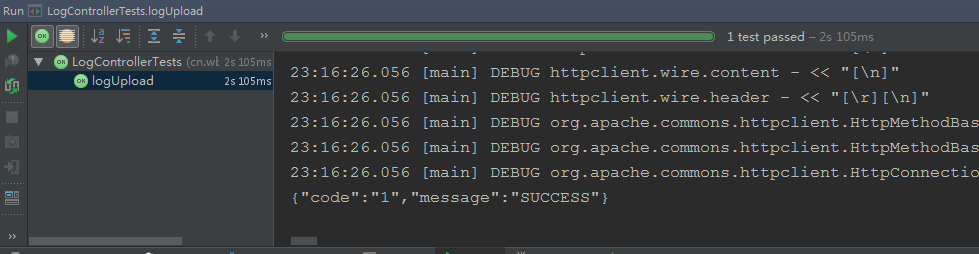
文件上传成功

3. 多文件上传
3.1 新建服务类
public JSONObject logUploads(HttpServletRequest request) throws Exception { List<MultipartFile> files = ((MultipartHttpServletRequest) request).getFiles("file"); for (MultipartFile file : files) { logUpload(file); } return ReturnMessage.success(); }
3.2 新建控制器类
/** * 批量上传日志接口 * * @param request * @return * @throws Exception */ (value = "/uploads") public JSONObject logUploads(HttpServletRequest request) throws Exception { return logService.logUploads(request); }
3.3 新建HTML页面
log-uploads.html
<html lang="en"><head> <meta charset="UTF-8"> <title>批量文件上传</title></head><body><form method="post" action="log/uploads" enctype="multipart/form-data"> <input type="file" name="file"><br> <input type="file" name="file"><br> <input type="file" name="file"><br> <br> <input type="submit" value="提交"></form></body></html>
3.4 测试
我们先把之前测试上传的logs_app文件夹整个删除,然后浏览器打开页面 http://127.0.0.1:8090/springbootdemo/log-uploads.html
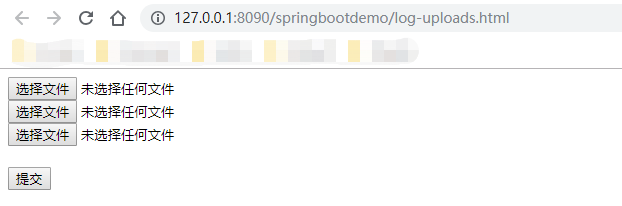
选择要上传的文件
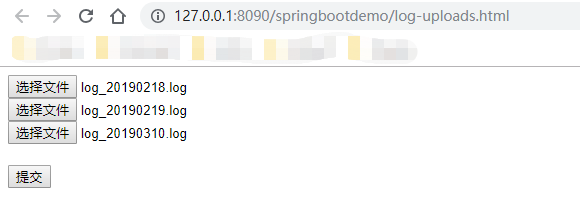
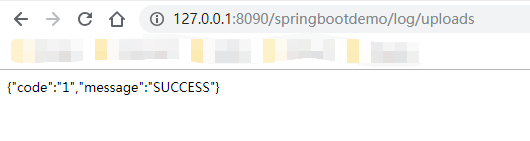
点击提交,返回如下则为上传成功。
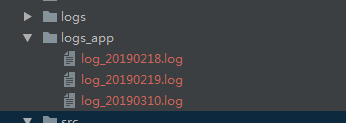
我们去logs_app文件夹下查看,生成了上传的日志文件。
3.5 Java客户端上传文件
这里如果我们也需要Java客户端实现多文件上传,可以仿照2.5实现。
GitHub:https://github.com/dkbnull/SpringBootDemo
CSDN:https://blog.csdn.net/dkbnull/article/details/88858717
本篇文章来源于微信公众号: 程序员null
微信扫描下方的二维码阅读本文

Comments NOTHING